 myEval
Your evals,
written right.
Anywhere.
Write evaluations one plain question at a time, keep every counseling on file, and see where each Sailor stands on their career path. myEval checks every block against the instruction before you print.
Everything NAVFIT98A checks. None of the hassle.
No installs, no Access database, no hunting for the right block. Just the questions that matter, on the device you already carry.
One question at a time
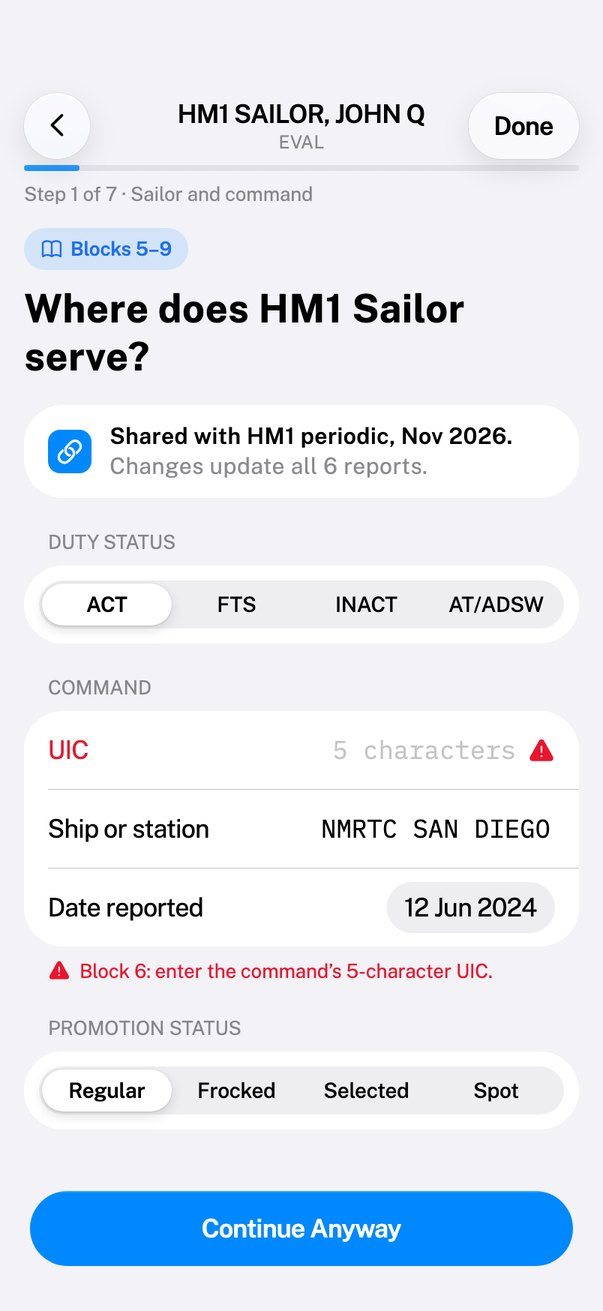
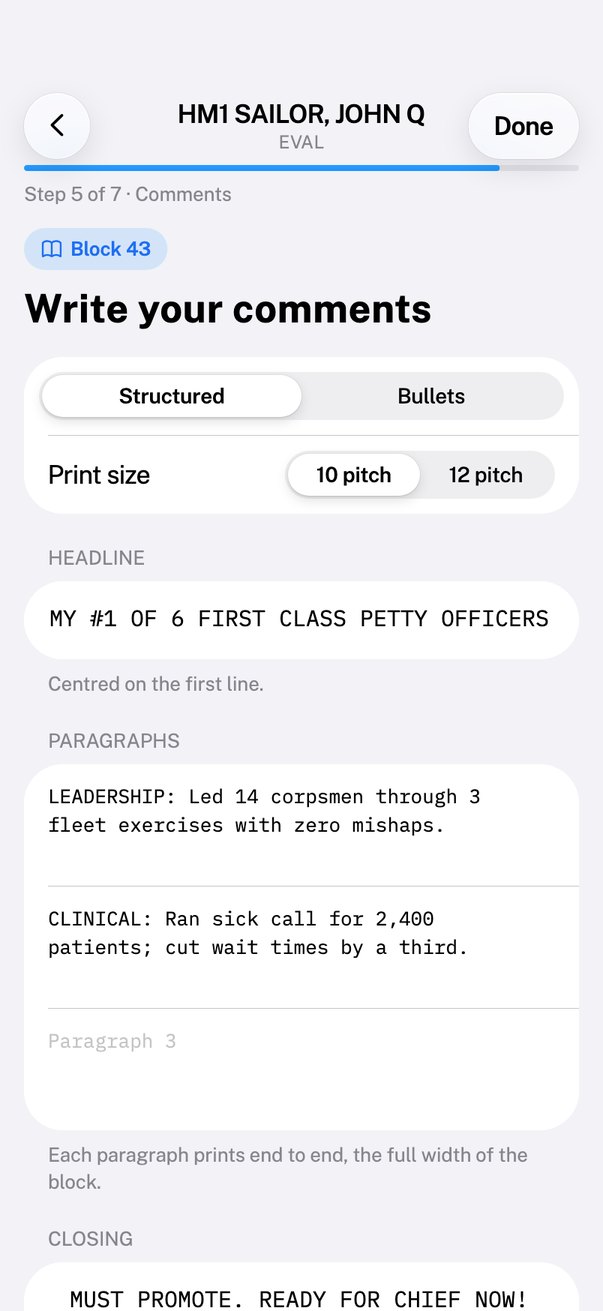
Plain steps walk you through every block of the EVAL, CHIEFEVAL and FITREP, with the printed format shown as you type.
Every rule, checked live
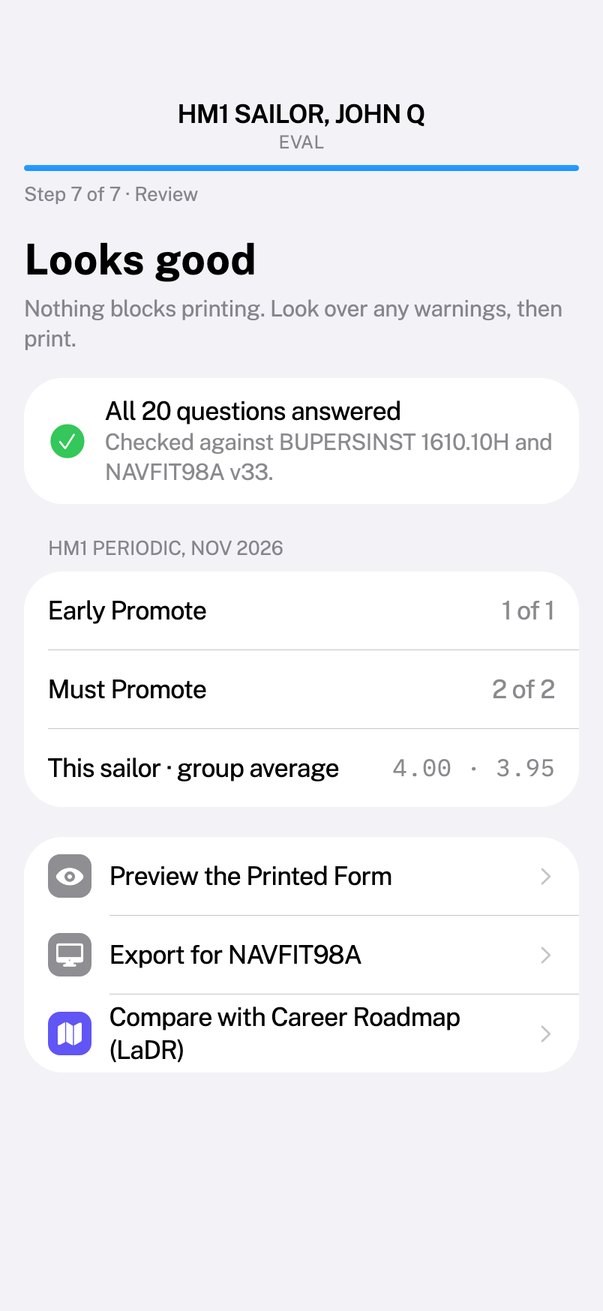
Built on BUPERSINST 1610.10H CH-2 and the NAVFIT98A v33 checks. Issues show under the field as you type, with a “Fix” that takes you straight there.
Career path New
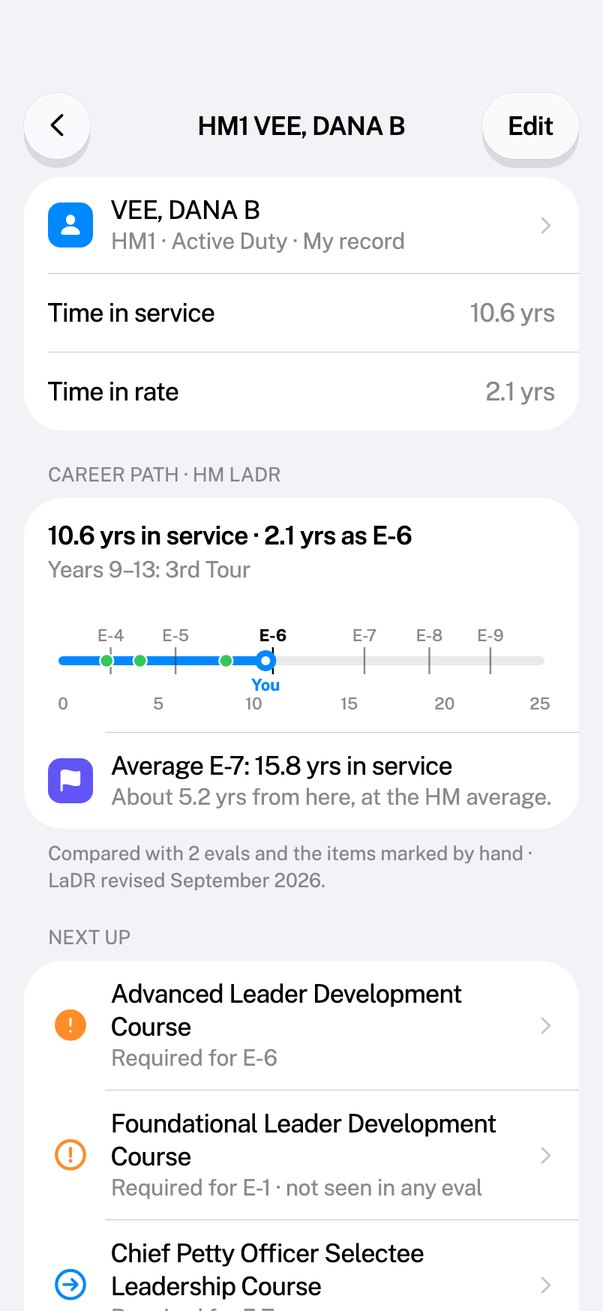
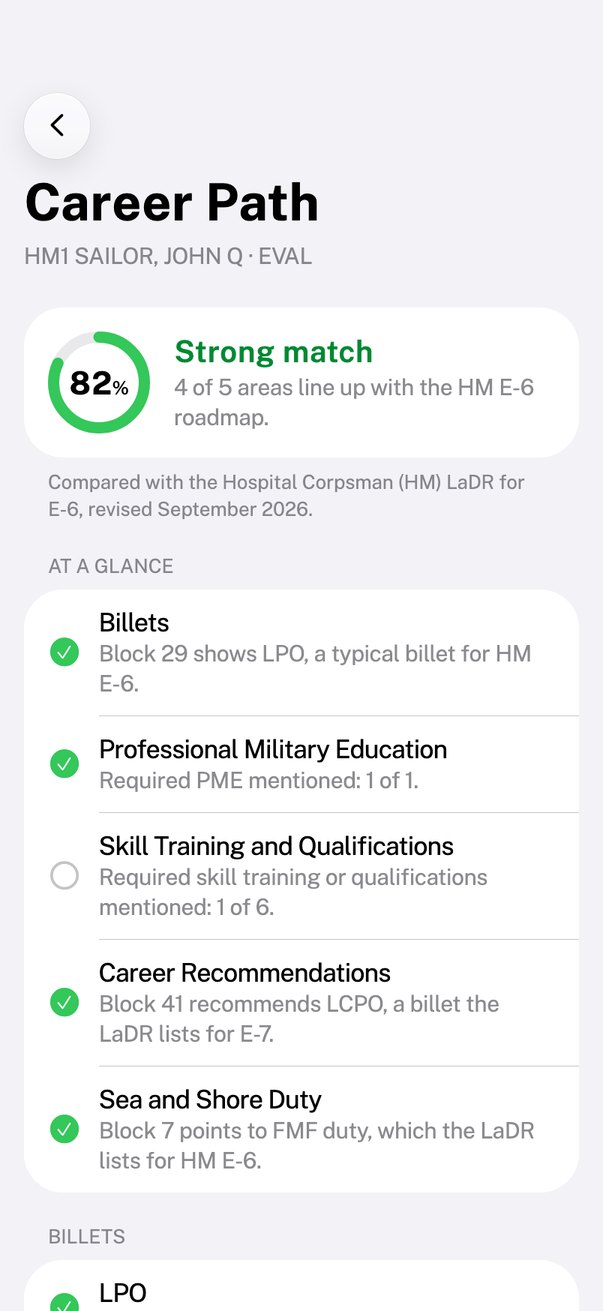
Every eval in a Sailor’s record checked against their rating’s LaDR, at their time in service and time in rate. See what’s done, what’s due, and what’s ahead.
Counseling on file New
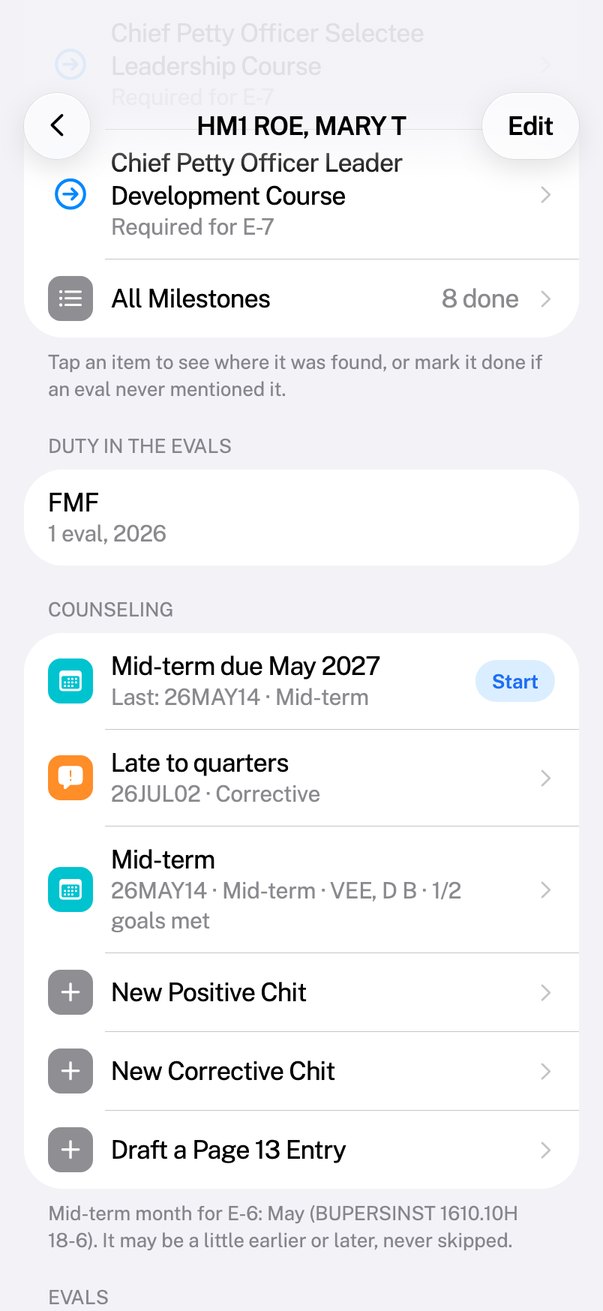
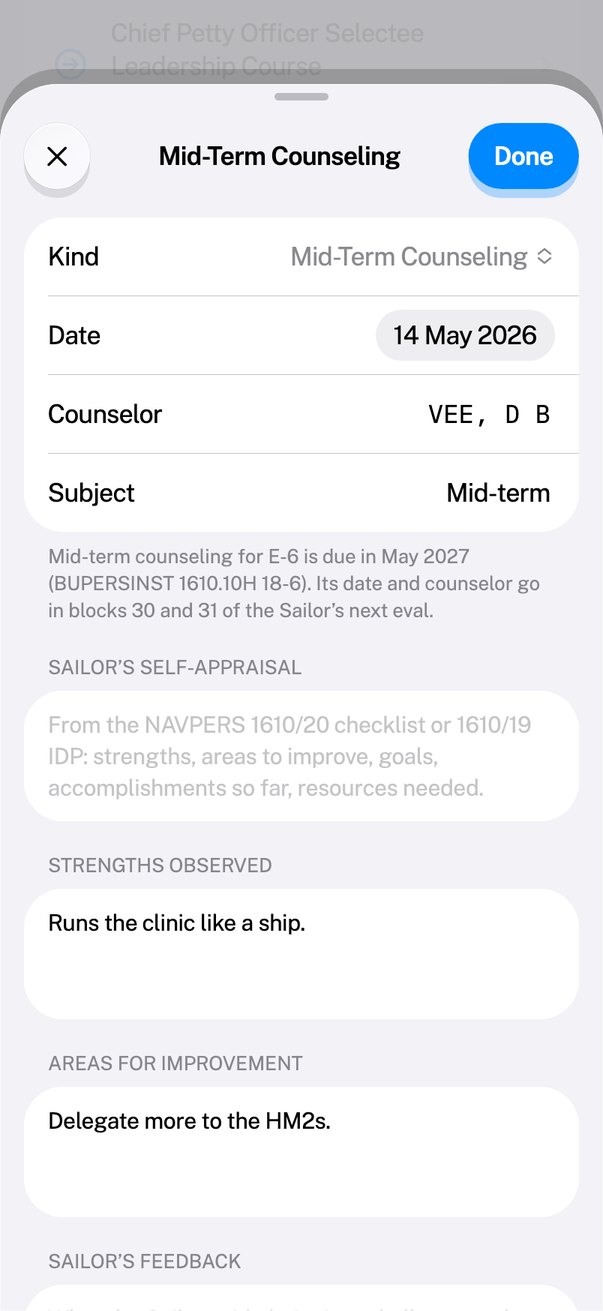
Mid-term counseling the way chapter 18 lays it out, plus positive and corrective chits and Page 13 drafts — dated, filed by Sailor, ready at eval time.
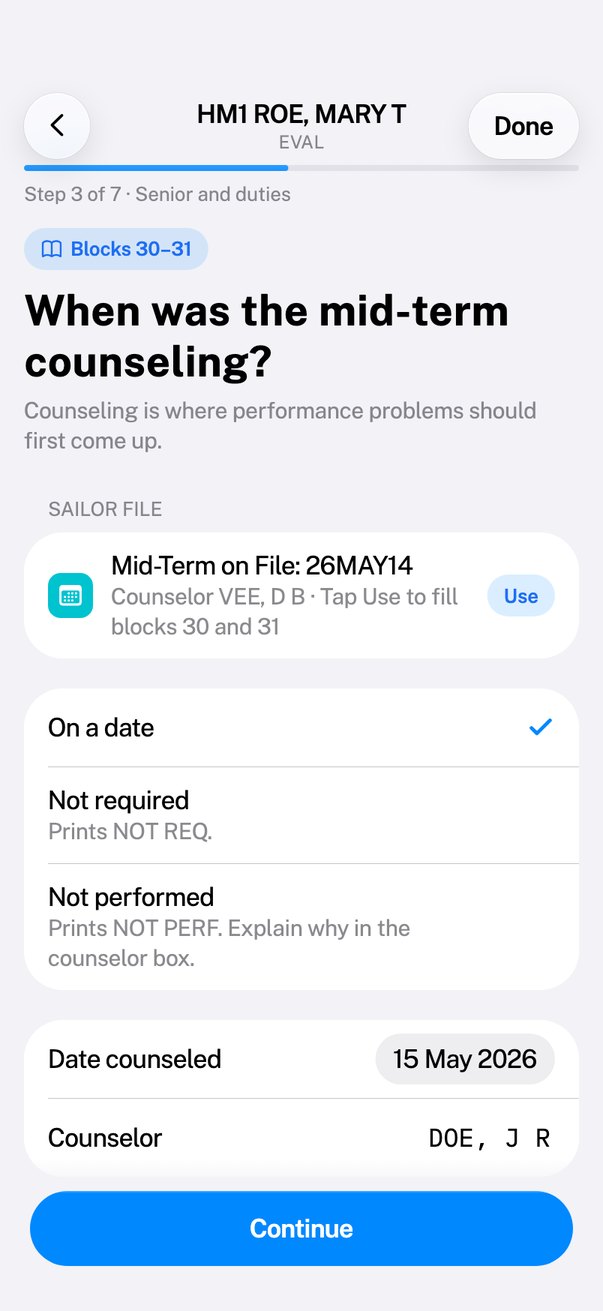
Blocks 30–31 in one tap New
Knows each paygrade’s mid-term month. When you write the eval, the mid-term on file fills the date counseled and the counselor for you.
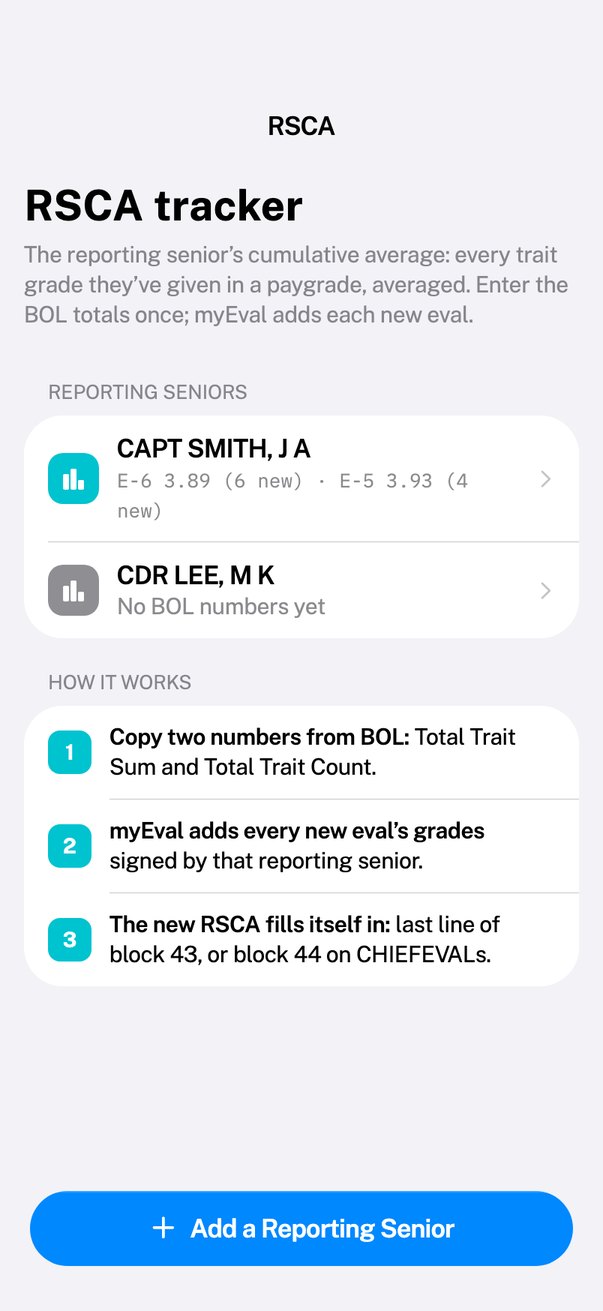
PSG RSCA, worked out
Enter your BOL numbers once. myEval keeps the post summary group RSCA current as grades change, and reserves the last line of block 43 for it.
Summary groups
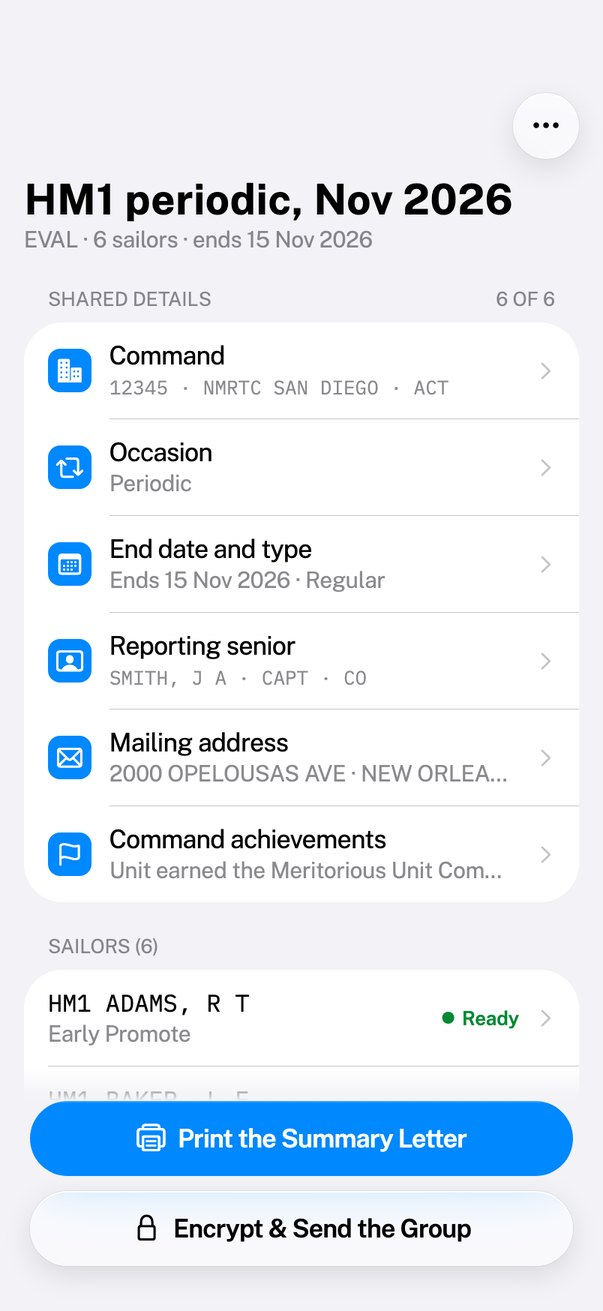
Type the reporting senior, dates and command once. Every eval in the group stays in sync, with quotas and the group average shown as you grade.
Hand off to NAVFIT98A
Export a file NAVFIT98A brings in with its own Import Data, for commands that still route evals through NAVFIT.
Encrypt & send
Pass a report or a whole group up the chain as a password-protected file, sealed with AES-256. Move everything to a new device over Wi-Fi with a QR code.
Print-ready forms
The official layout, with comments counted the way they print. Sign with a saved signature unlocked by Face ID or Touch ID.
The instruction, built in
The full BUPERSINST 1610.10H text, searchable and offline. Tap any block to read its guidance.
App Lock
Optional lock with Face ID, Touch ID or your passcode. SSNs are only kept when App Lock is on, and stay masked until you confirm it’s you.
See where you stand — not just on this eval.
Add your PEBD and dates of rank, and your past evals. myEval reads all of them against your rating’s Learning and Development Roadmap.
- Done, with proof. Each course and qualification shows the eval and block it came from, and your years of service then.
- Due now, and not on record. Required PME for your paygrade, and anything no eval ever mentioned — mark it done if it never made it into writing.
- What’s ahead. The next paygrade’s requirements and billets, and how far you are from the rating’s average time to advance.
Think of it as a degree audit. The LaDR is the degree plan; your evals are the transcripts.
An HM1 with 9½ years in sees: ILDC done in a 2021 eval · ALDC due now · CPO courses ahead · HMC average at 15.8 years of service.
The folder in your desk drawer, done right.
Keep a file for every Sailor you lead. When eval season comes, March isn’t a memory — it’s on file.
- Mid-terms on schedule. E-6 in May, E-5 in September — each Sailor shows when theirs is due, or overdue.
- The conversation, structured. Self-appraisal (NAVPERS 1610/20 or IDP), strengths, areas to improve, the Sailor’s feedback, and SMART goals with due dates.
- Chits and Page 13 drafts. Positive and corrective counseling with the facts, the standard and the plan. Print or share a copy with signature lines.
- There when you write. The eval fills blocks 30 and 31 from the mid-term, and lists every chit dated in the period beside your comments.
From blank form to ready-to-sign.
Answer the questions
Start an EVAL, CHIEFEVAL or FITREP and fill it in step by step — on the ship, on the road, or at your desk.
Let myEval check it
Formats, limits, grade rules, quotas and the PSG RSCA are checked as you go. Counseling and the career path are right there.
Print, send or export
Print the form, send an encrypted copy up the chain, or export for NAVFIT98A.
Designed for the way you actually write evals.
Room to think at your desk.
The same app, built for each screen: a sidebar and inspector on iPad, a real Mac window with a source list, toolbar and menu-bar shortcuts.
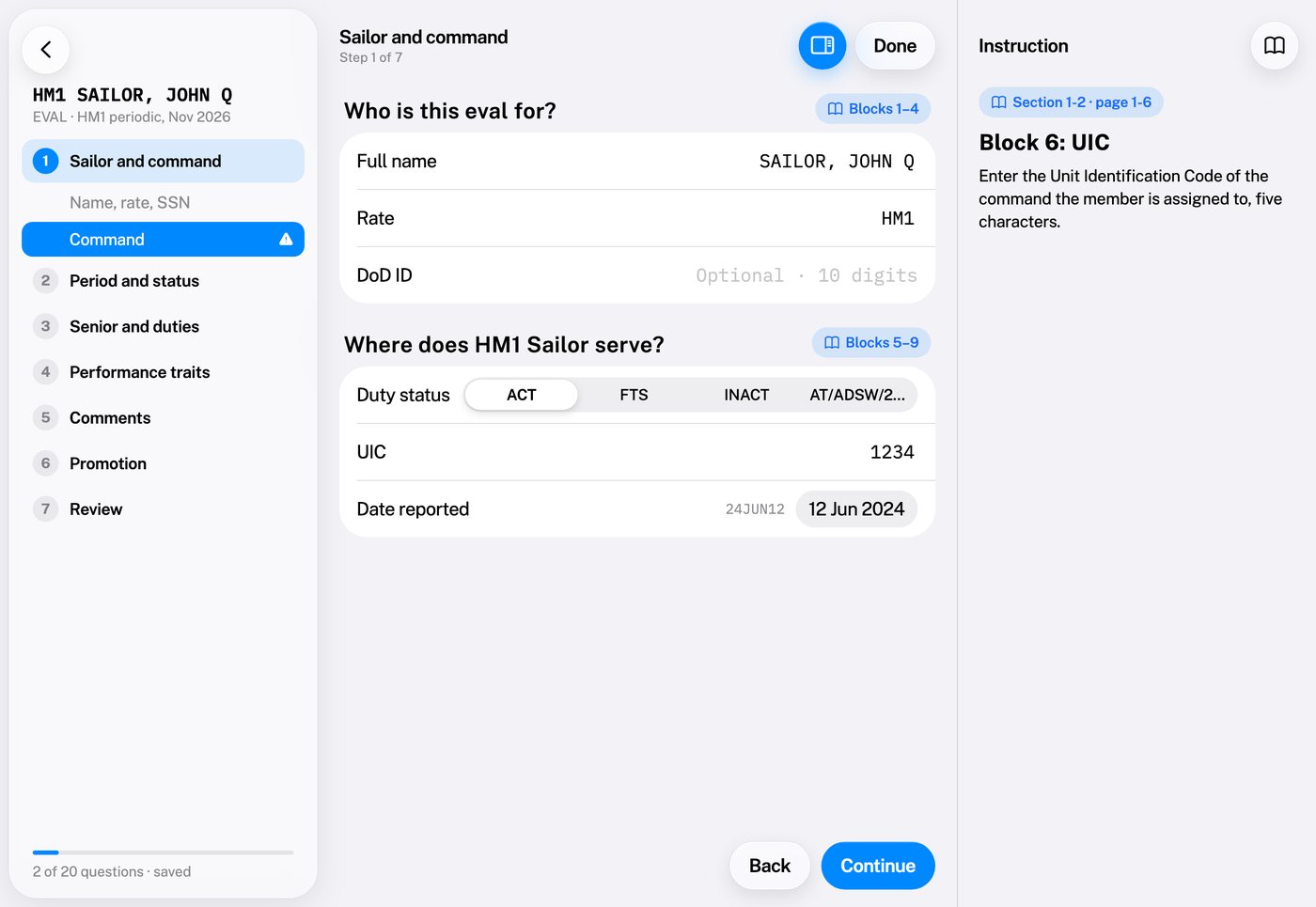
iPad
Work through a whole summary group with the outline, the form and the instruction side by side.
- Sidebar and split views for evals, groups and Sailors.
- Instruction inspector beside every question.
- Keyboard and trackpad — ⌘N, ⌘F, ⌘↩.
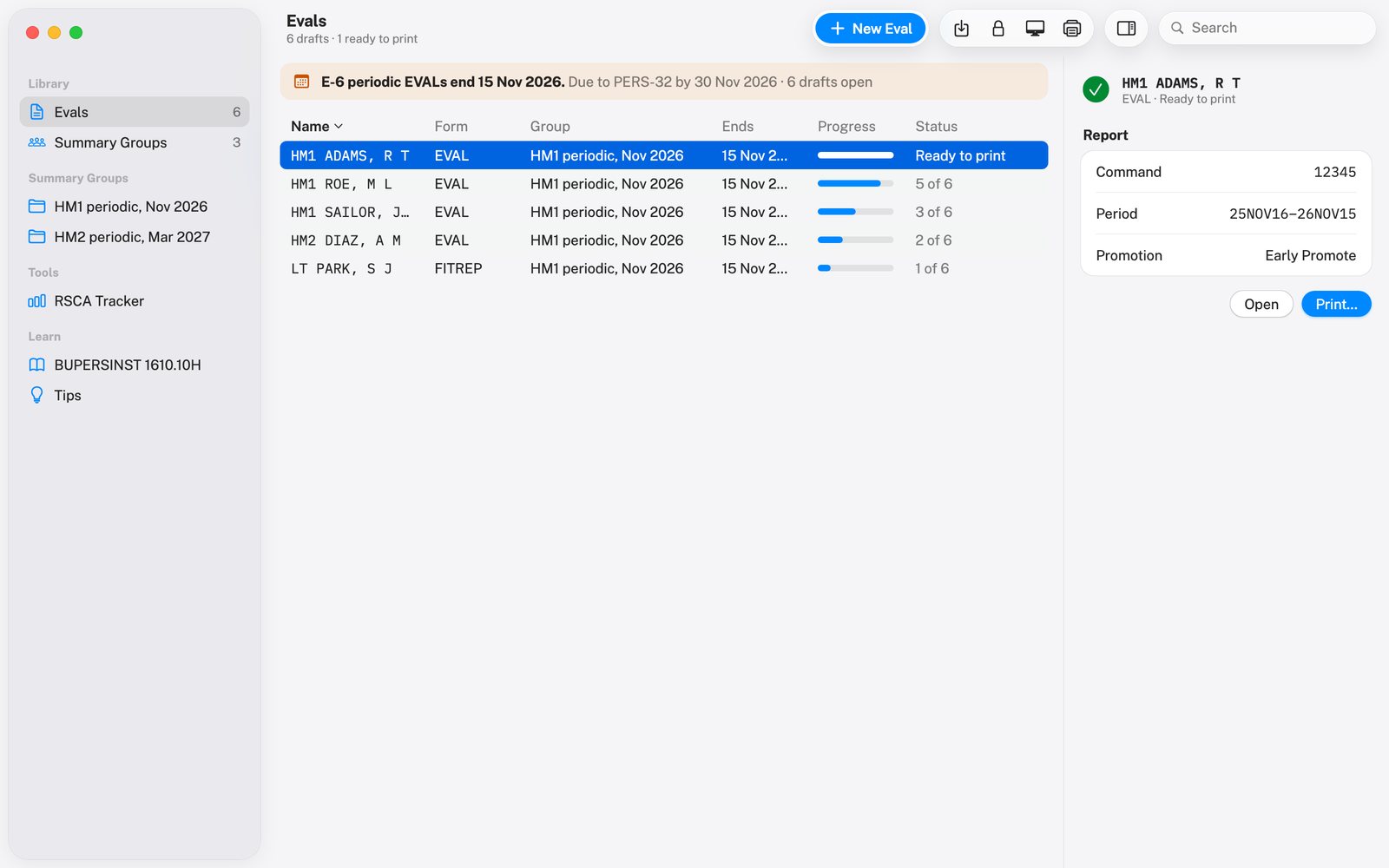
Mac
A real Mac app: resizable window, source list, toolbar, and every command in the menu bar.
- Evals as a table with progress, status and an inspector.
- The whole form at once in a two-column editor, with live checks.
- Shortcuts — ⌘N new eval, ⌘P print, ⌘1–5 sections.
Your evals stay on your device.
myEval has no servers, no sign-in and no analytics. We never see your reports or counseling records — they’re stored encrypted on your device and leave it only when you choose to share them.
- Encrypted on device. Evals and Sailor files are saved with AES-256 encryption, with the key kept in the Keychain.
- SSNs protected. Optional, never required, only stored when App Lock is on — and never kept in a Sailor file.
- No tracking. No ads, no analytics, no third-party SDKs that phone home.
Write your next eval with myEval.
Built by a Sailor, for the people who write evals — and the Sailors who earn them.